
Making videos used to feel like homework. Set up OBS, find the right mic, record, look for the file, open an editor. There goes the evening.
Now it's the most fun I've had creating in a long time. All of a sudden I had unlimited energy for it: for the videos, and for making the tool I make them with better, so the next video is even more fun to make.
Last week I posted a video that took 25 comments to edit. I left every one of them right on the frame, and Claude fixed every one.
Here's that video, if you haven't seen it: How I make my videos, on LinkedIn.
Since then, about thirty people replied asking some version of the same thing: How?
So this is the whole setup. What you need, the three problems I had to solve, and the part I like most, which is how the system gets a little better with every video.
What you need
Less than you'd think.
- Claude Code. I use Opus 5.5. It's the brain. It writes the script, cuts the takes, builds the motion design, writes the post.
- HyperFrames. Claude writes motion design as HTML, and HyperFrames renders it to video. This is the part that makes the videos look like someone spent a weekend in After Effects.
- Video models. Every now and then I use Seedance 2.5 or MiniMax's H3 for a shot I can't film myself.
- Image models. Gemini and ChatGPT, for thumbnails, sketches and stills.
- Open-source audio tools. Whisper writes the transcript Claude cuts on. ClearerVoice-Studio takes the room echo and noise out of my voice, and on phone takes Resemble Enhance makes it sound like a proper mic. ffmpeg does the actual cutting.
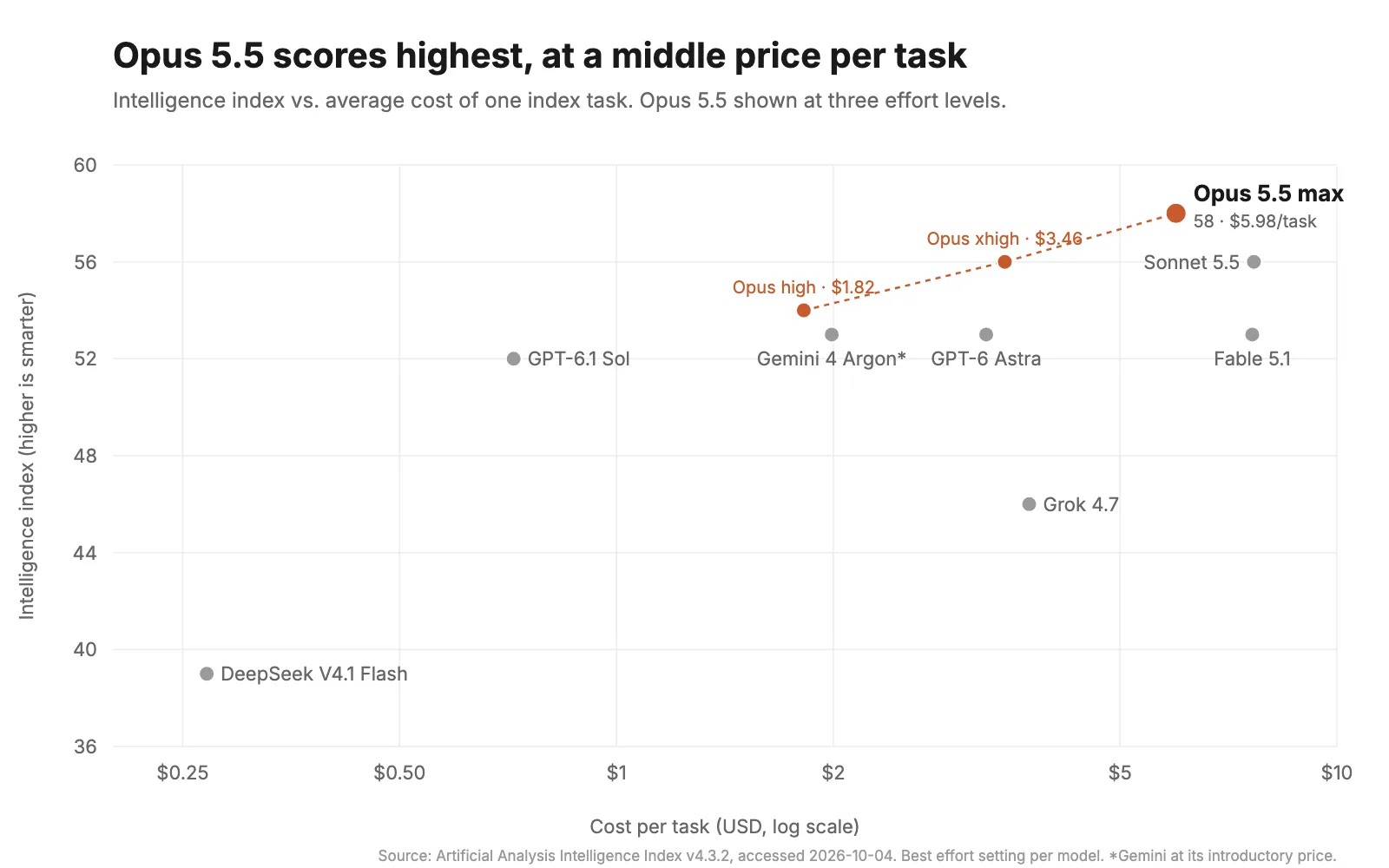
I use Opus 5.5 because on the Artificial Analysis Intelligence Index it's the highest-scoring model as of nowAs of October 7, 2026, when I published this.. It's also cheaper per task than Sonnet 5.5 or Fable 5.1, because it needs fewer tokens to get there.
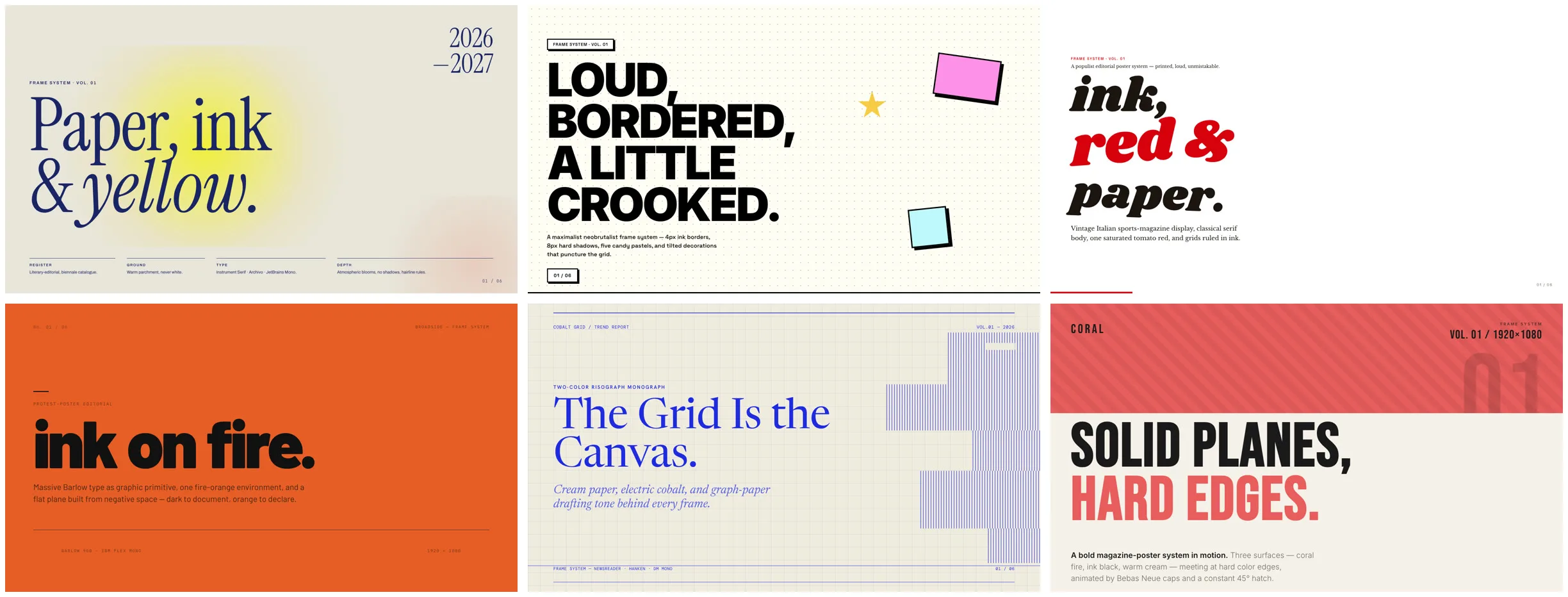
HyperFrames is open source, from HeyGen. Each frame is a web page, so anything Claude can build in HTML and CSS, it can animate. These are a few of its starter design systems:
The list only works because of where Claude Code runs. It sits inside my own repo, the same one that holds my journals, my notes, my past posts, my style guides, my ideas. So when I say "make a video about the bookkeeping agent", it already knows what I've said about it before, how I talk, which hooks worked, and which fonts I hate. Whatever it doesn't know, it searches the web for.
A fresh chat knows none of that.
Problem one: recording
My first friction point was the record button.
I tried OBS. I tried QuickTime. I tried Screen Studio. All great tools, built for streamers and editors. I just wanted to hit record and talk, and every session started with ten minutes of picking the right mic, the right window, the right aspect ratio. OBS made me not want to make videos.
So at the end of September I built my own app. It's called Takes, and it's open source. Now every video I make goes through it.
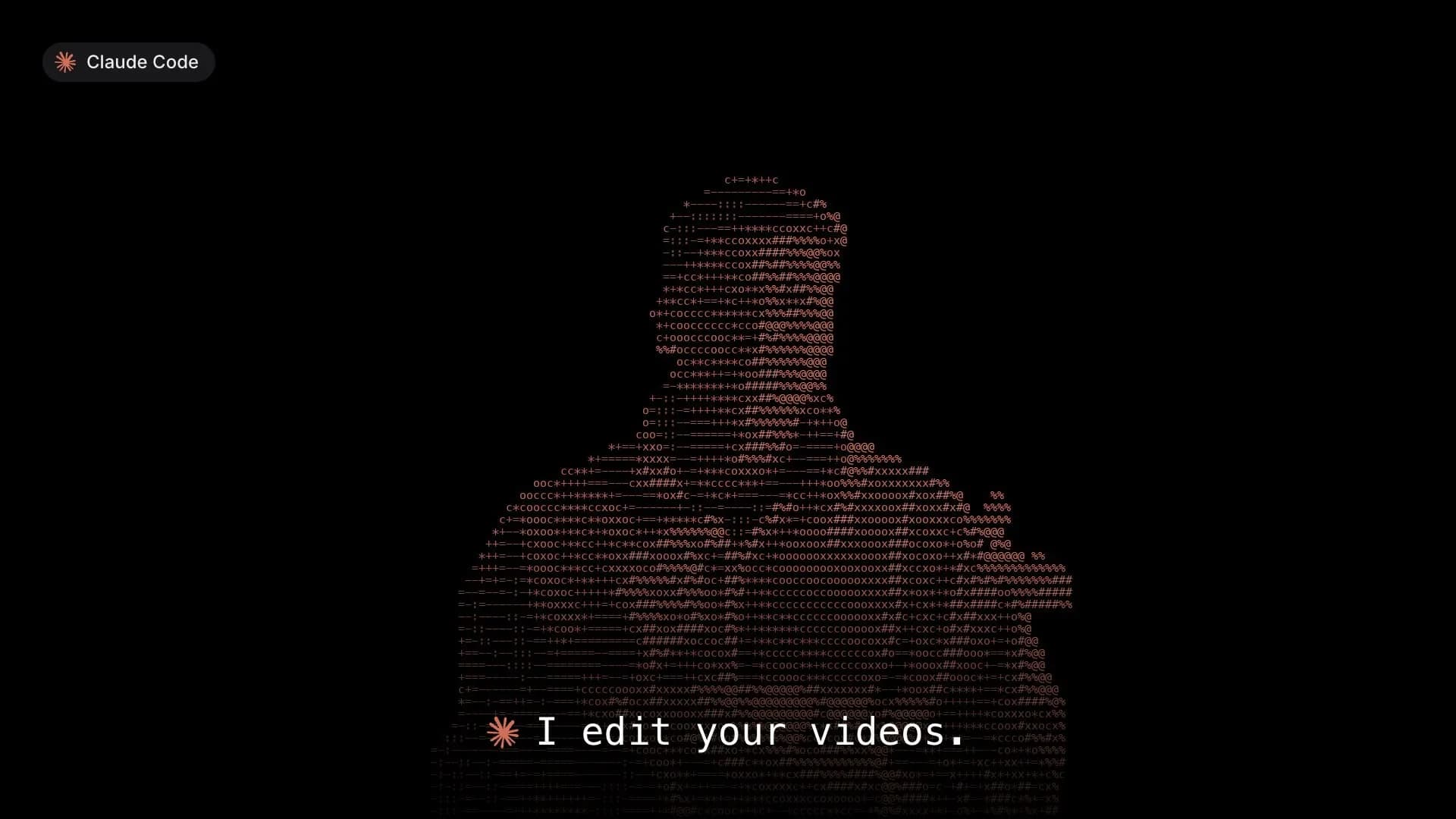
Recording in Takes is one button. Horizontal or vertical. It always picks the right mic. The teleprompter sits right next to the camera, so I'm reading while I look roughly at the lens. And I can connect my phone and record with that instead.
Before I hit record, Takes plans the video with me. The Storyboard tab has one sketch per shot, the line I say under it, and a short note on how to film it.
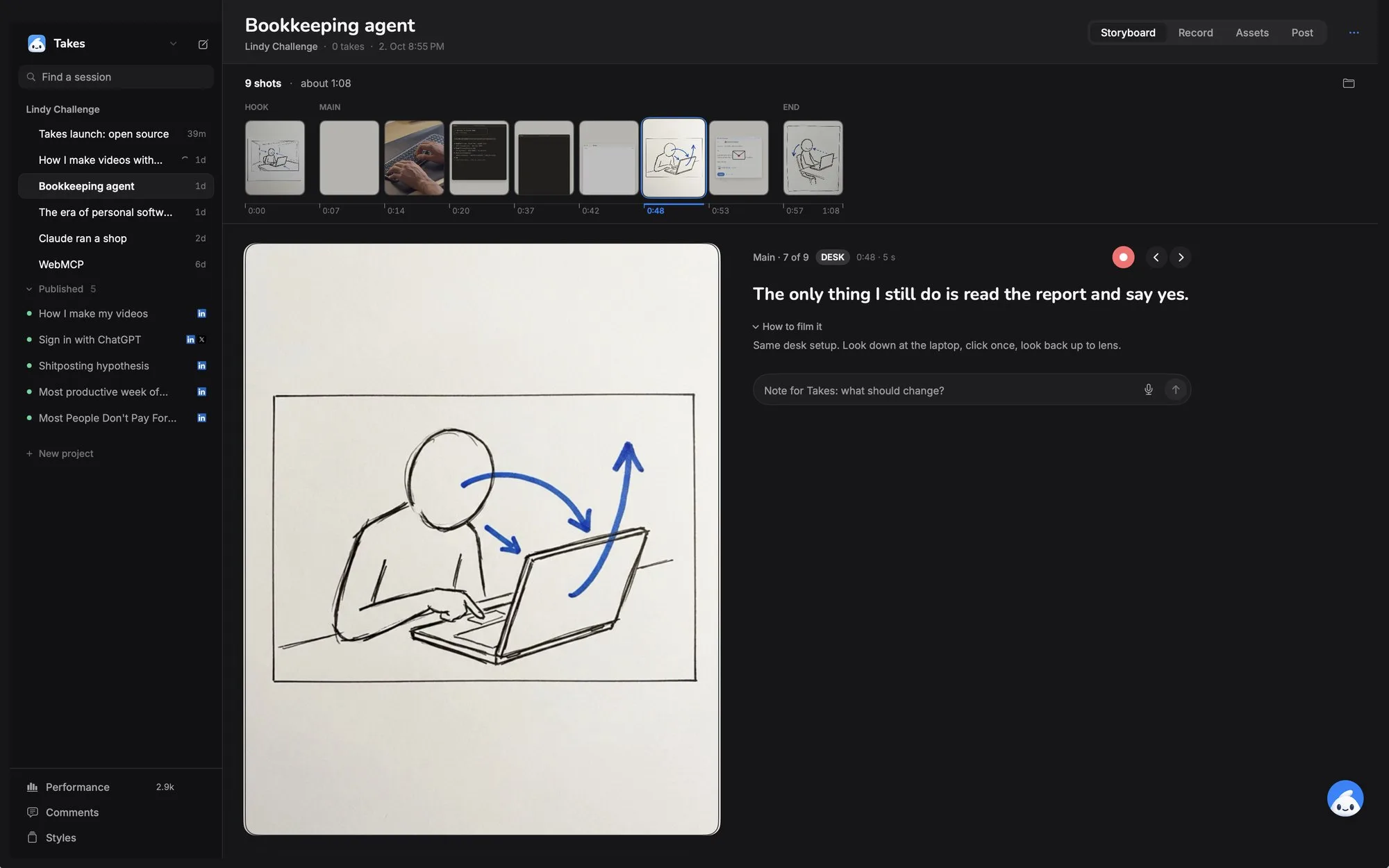
It's all small stuff, but the small stuff is what used to annoy me every single time.
If a tool annoys you every single time, build the one that doesn't. With Claude Code, Takes went from idea to the app I use every day in four days.
Problem two: the mess
I am not an organized person.
Before Takes, my recordings landed wherever the tool felt like putting them. Downloads, the desktop, a folder called "video stuff". Every edit started with me looking for the file.
So I made the app do it for me. Every take gets a name, lands in a folder next to its script and its transcript, and the cleaned-up voice track sits next to it. I never touch a file.
The structure is three levels deep. Projects hold sessions, sessions hold takes, and one session is one video:
Takes/
└── Lindy/
  └── 2026-10-01-how-i-make-my-videos/   # one video
      ├── script.md
      ├── take-01-camera.mov
      ├── voice/take-01-camera.wav
      ├── edits/                    # every version Claude cuts
      └── posts/
And every session has its own agent attached. I'm writing this post from the chat panel inside the session for this exact video.
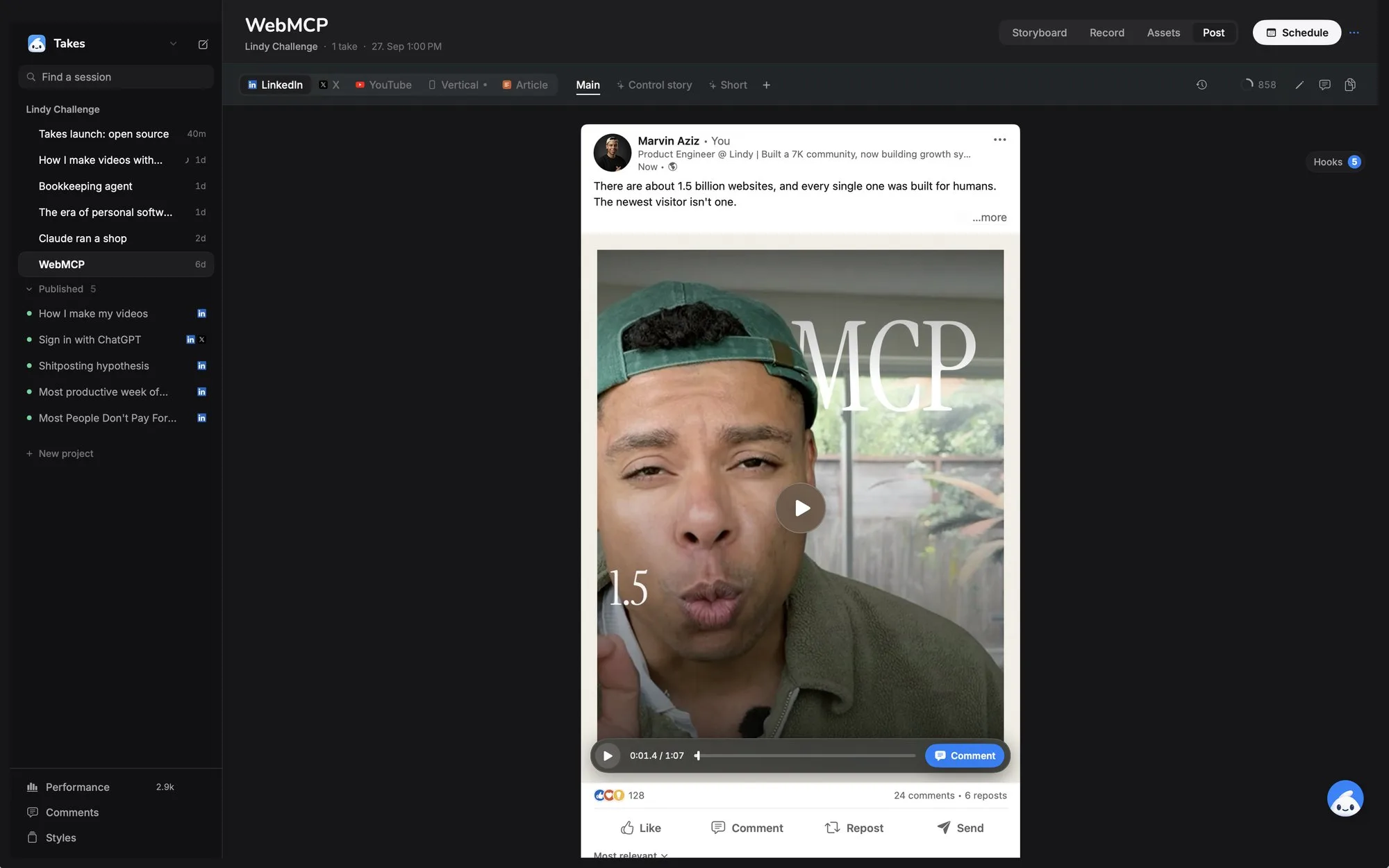
The sidebar is the whole library. Each session also holds its posts, and Takes shows every one the way it will look on LinkedIn, X or YouTube before I schedule it.
Then I gave it my old footage. Gemini 3.8 Flash watched every clip and wrote down what's in each shot: who's in it, where, what happens at which second. That's now my B-roll library, and every agent knows which clip fits a line without opening a single file.
I use Gemini for that part because Claude can't really watch videoIt looks at individual frames as screenshots, so it misses motion, timing and anything between the frames it picked.. A model that understands video does this much better, and once the notes exist, Claude can use them all day.
Problem three: editing
Now the fun part.
Claude cuts the edit. Then I go full Gordon Ramsay on it.
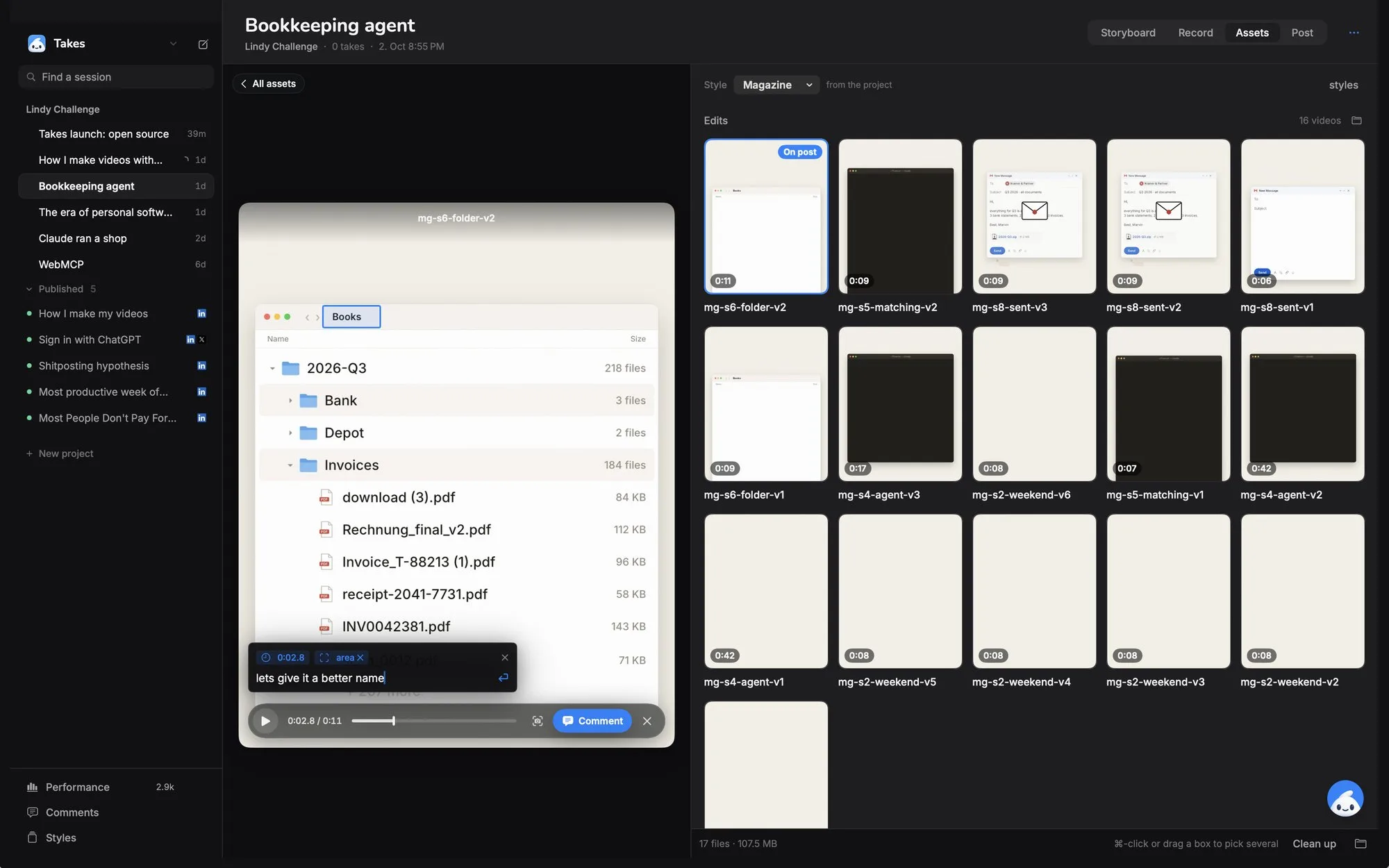
I comment on everything. The motion design. The style. The sound effects. How my voice sounds. The cuts. The words in the script. Each comment sits right on the frame: I drag a box over the thing I mean, type what's wrong, and Claude fixes it and replies.
Some real ones, word for word:
"hell no i hate the underline sound"
"not a nice screen when greyed out"
"too much jumping around"
That last video took 25 of those. Which sounds like a lot until you remember I never opened an editor.
Here's what one looks like in the app. I pause the edit, drag a box over the frame, and type the note:
The loop that makes it better
Think of the whole thing as a system with four parts:
- Input: my take and the script.
- Output: the edit.
- Feedback: my comments, and later, how the post performs.
- Environment: everything Claude reads before it starts.
It's easy to stop at the first three. You prompt, you get an output, you correct it, and next week you correct the exact same thing again. The feedback lives in a chat that's gone the moment the session ends.
So I made the feedback land in the environment instead. Every comment that matters beyond one video becomes a rule in a file, with the comment it came from. Claude reads that file before it cuts anything.
The file is just markdown. A few lines from it:
- Every hiccup and false start goes.
- Never grey out or dim a screen to say "bad".
- No synthesized SFX. "hell no i hate the underline sound"
- Never the same shot twice, even different timecodes of one location.
- Show the agent doing the work, not a card about it.
So far I've left 163 comments across my videos. They've turned into 65 rules. The next video starts with all of them, so I rarely give the same note twice.
The post numbers go into the same loop. Once a video is live, likes, comments and impressions come back into the app, so the next script knows which hooks actually worked.
You don't need my app for this. Next time you tell Claude "no, shorter" or "not that font again", don't stop at the fix. Ask it to write the note into a file it reads at the start of every session, like CLAUDE.md. Do that for a week and you'll catch yourself not repeating notes anymore.
What's still rough
It's not magic.
25 comments on one video is still 25 comments. The rules cut the repeats, not the taste calls, and I make a lot of taste calls. Claude still can't see video properly, so anything about motion and timing needs my eyes. Gemini can describe a clip, but describing isn't taste: it can't tell me whether a cut feels good. And some rules contradict each other until I notice and clean them up.
But every week the first cut is closer to what I want.
And it’s so much fucking fun to create videos again.
Try it
Next video, skip the editor. Record one take on your phone, drop the file in a folder and open Claude Code there. Ask for a first cut, then give your notes like you'd text a friend: "cut the first 3 seconds", "this font is too thin". Each time it fixes one, say "save that as a rule". By the third video you'll notice you're saying less.
If you'd rather start from my setup, the Takes code is on GitHub. Clone it and have Claude make it yours.
I'm setting this up for a couple of teams right now. If you want it for yours, email me and tell me what you make.